When two businesses (or even two departments in the same company) use different Salesforce orgs, collaboration can get tricky. Salesforce-to-Salesforce (S2S) provides a native way to share records across orgs — without writing complex integration code. 🚀
In this article, we’ll explore:
- How record sharing works in S2S
- Features and limitations
- Where S2S can be a quick win (and where it’s not the best fit)
🔗 How Record Sharing Works
Think of S2S as a “handshake” between two Salesforce orgs. Once the connection is set up, you can decide what records you want to share (Leads, Contacts, Opportunities, Custom Objects, etc.) and what fields should be visible.
Here’s the flow in simple terms:
- Establish a Connection
- Admin in Org A sends a connection invite to Org B.
- Org B accepts → connection is live.
- Once the connection is established, use the Connections tab to manage partner connections, check status, and start publishing/subscribing objects.

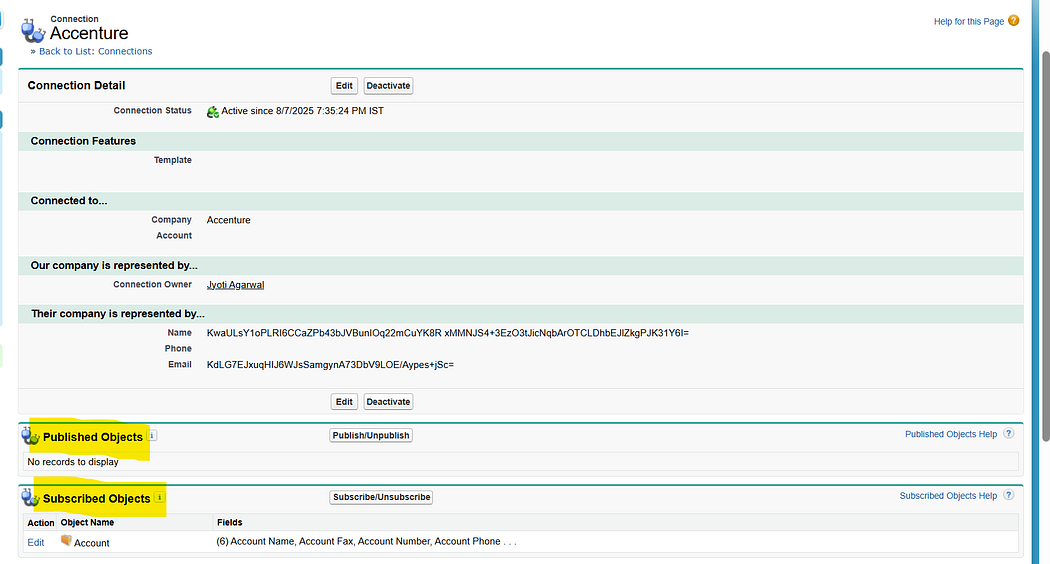
2. Publish & Subscribe
- Org A decides which objects/fields to publish.
- Org B subscribes to those objects and can configure field mapping for the subscribed fields.
- This determines what data will flow across.
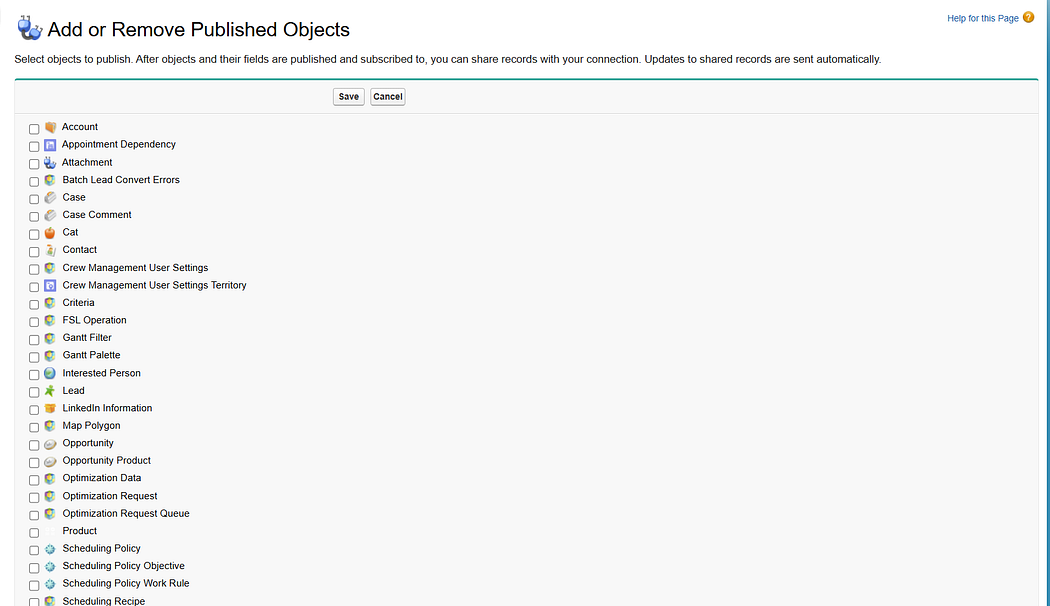

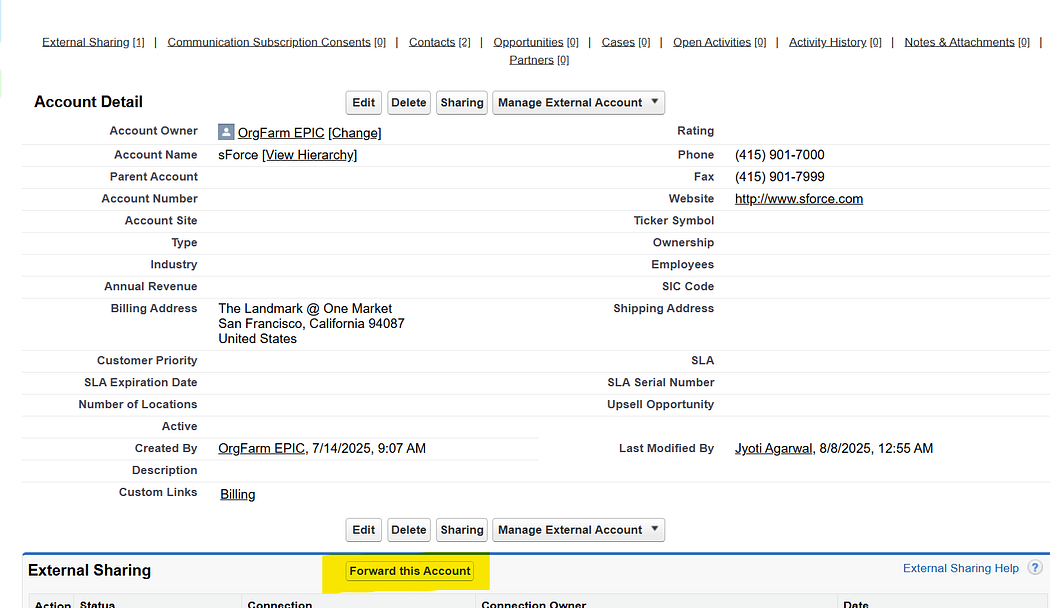
3. Record Sharing
- When a record is created/updated in Org A, it must be explicitly shared with Org B.
- Shared records appear in Org B as native Salesforce records (with new record IDs). Any updates on the published fields in Org A will automatically reflect in Org B
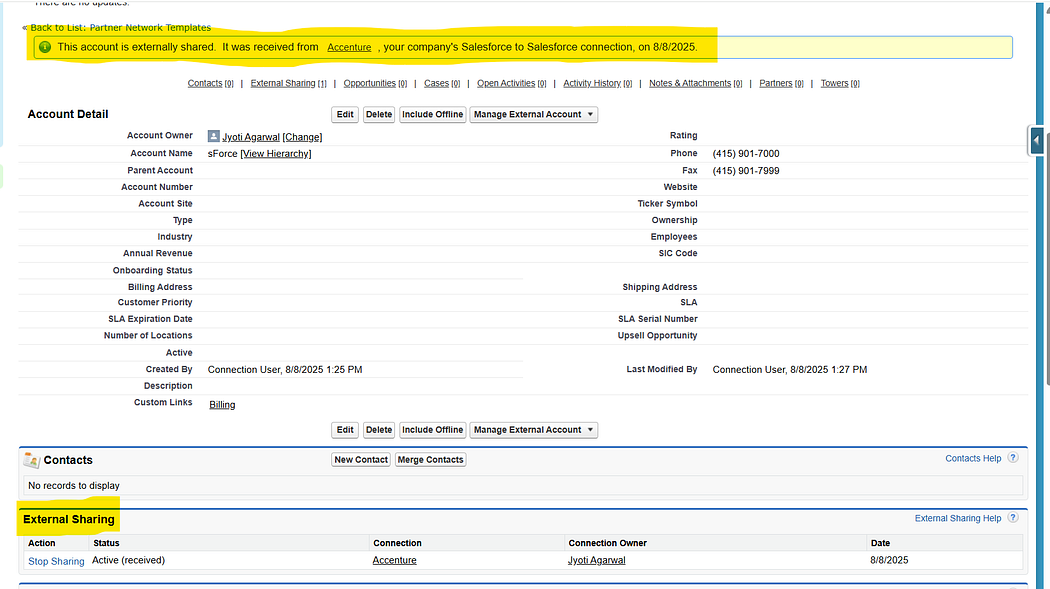
4. Two-Way Updates (Optional)
- If both orgs publish and subscribe to the same object, updates can flow both ways.
- Example: A Lead shared by Org A can later be updated in Org B, and the update syncs back.
🌟 Features of S2S
- Native Salesforce Experience → Shared records look and behave like normal Salesforce records.
- Two-Way Updates → If both orgs publish and subscribe to the same object, updates flow both ways.
- Field-Level Control → You can decide which fields are visible to the partner org.
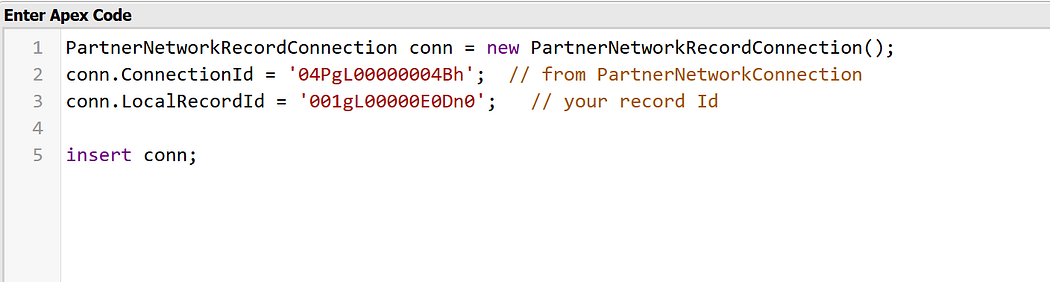
- Partner Network Records → Partner network records can also be inserted via the Developer Console, giving admins/devs flexibility during testing or special cases.
⚠️ Limitations of S2S
- No Record Matching→ When a record is shared, the subscriber org always creates a new copy with its own Record ID. S2S does not match against existing records, so every shared record is treated as new.
- Explicit Record Sharing Required → Records must be manually forwarded or shared programmatically via Apex; no out-of-the-box auto-sharing filters.
- Asynchronous Behavior → Delays may occur before shared records appear in the subscriber org.
💡 When to Use S2S
- Quick, low-effort collaboration between two Salesforce orgs.
- Sharing specific Leads/Contacts/Opportunities with a partner.
- When both teams want a native Salesforce experience without middleware.
🚫 When Not to Use S2S
- Large-scale data migrations.
- Real-time high-volume integrations.
- Cases requiring data transformation, deduplication, or complex filtering → APIs, Mulesoft, or custom integrations are better.
✨ Final Thoughts
S2S is like Salesforce’s “plug-and-play” solution for cross-org collaboration. It’s not a full-blown integration platform, but for the right use cases, it’s fast, clean, and easy to set up.
If you’re considering S2S, start small — share a few records, test the workflows, and decide if it fits your business needs before scaling.
 Jyoti Agarwal